🌐 This page is not yet translated to English. Showing Portuguese (BR) reference. Help translate this page on GitHub.
O que é o RoqueOS?
RoqueOS é um sistema operacional que roda inteiramente no navegador e transforma qualquer dispositivo em uma central unificada de computação, automação e desenvolvimento.
Não importa se você está usando uma Smart TV, um tablet, um notebook antigo ou um servidor poderoso — o RoqueOS entrega a mesma experiência de desktop completo, com janelas, apps e personalização, diretamente pelo browser.
Antes de começar
Para usar o RoqueOS você precisa de um navegador moderno e nada mais. Chrome, Edge, Safari ou Firefox atualizados servem, em qualquer sistema. Não há instalação, não há download.
Duas coisas são opcionais e só fazem falta quando você quiser mais:
| O que | Quando faz falta | O que você precisa ter |
|---|---|---|
| RoqueOS Server | terminal Linux, App Store Docker, arquivos do servidor, navegador remoto | uma máquina com Docker — pode ser um mini PC em casa, um Raspberry Pi ou uma VPS |
| Conta | sincronizar notas, links e ajustes entre os seus aparelhos | só um e-mail |
Do zero ao RoqueOS aberto, em três passos
- Abra roqueos.com.br no navegador. O desktop carrega direto, sem instalar nada.
- Use como está. Arquivos, notas, calculadora, navegador, jogos e os outros apps que não dependem de servidor já funcionam.
- Quando quiser o resto, instale o RoqueOS Server e conecte — o terminal, os containers e os arquivos do servidor aparecem sozinhos no Launchpad.
A Ideia Central
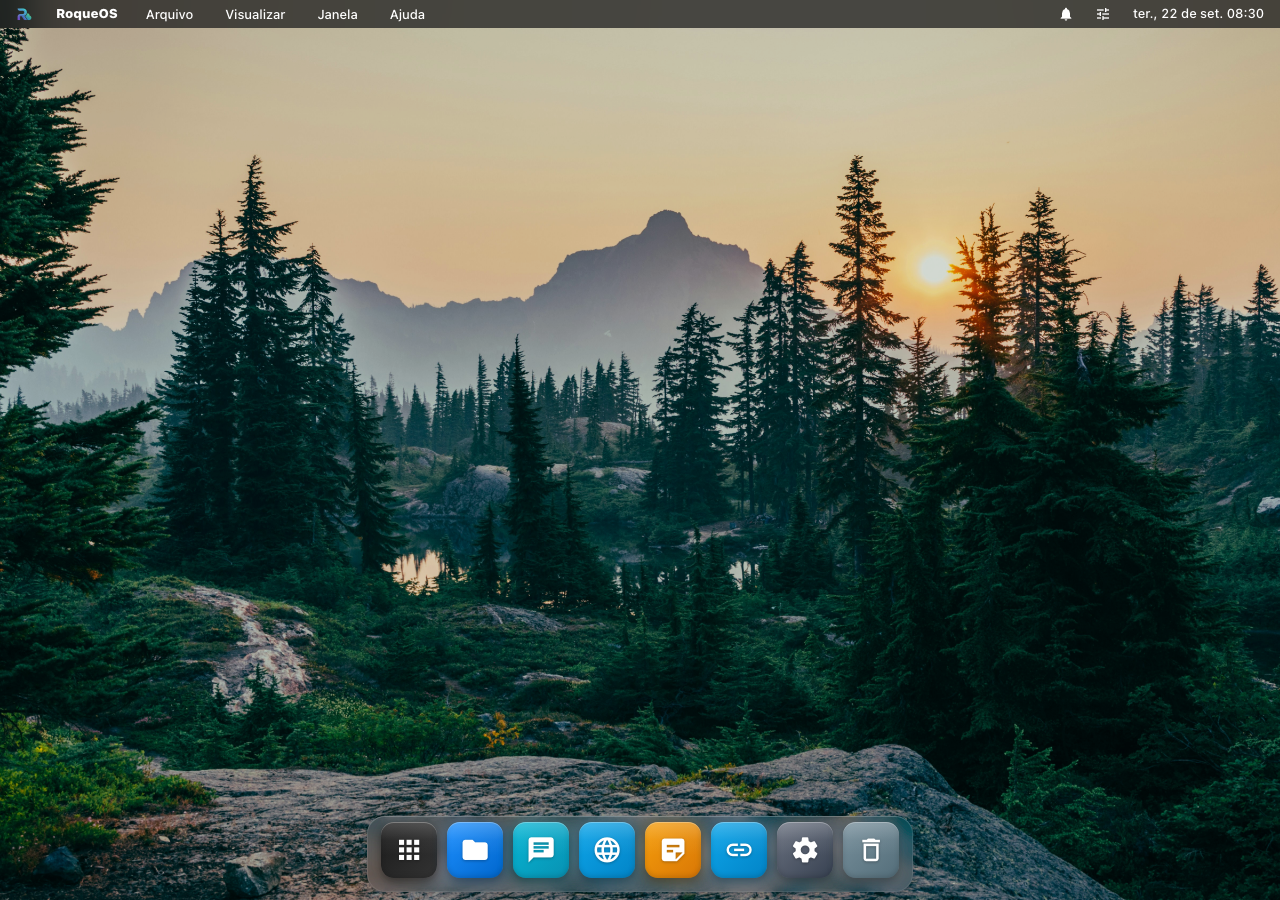
A maioria dos sistemas operacionais é presa ao hardware. O RoqueOS inverte essa lógica: o sistema vai até você, rodando como uma aplicação web progressiva (PWA) que funciona em qualquer dispositivo com navegador moderno.
Pilares do Sistema
Interface Universal
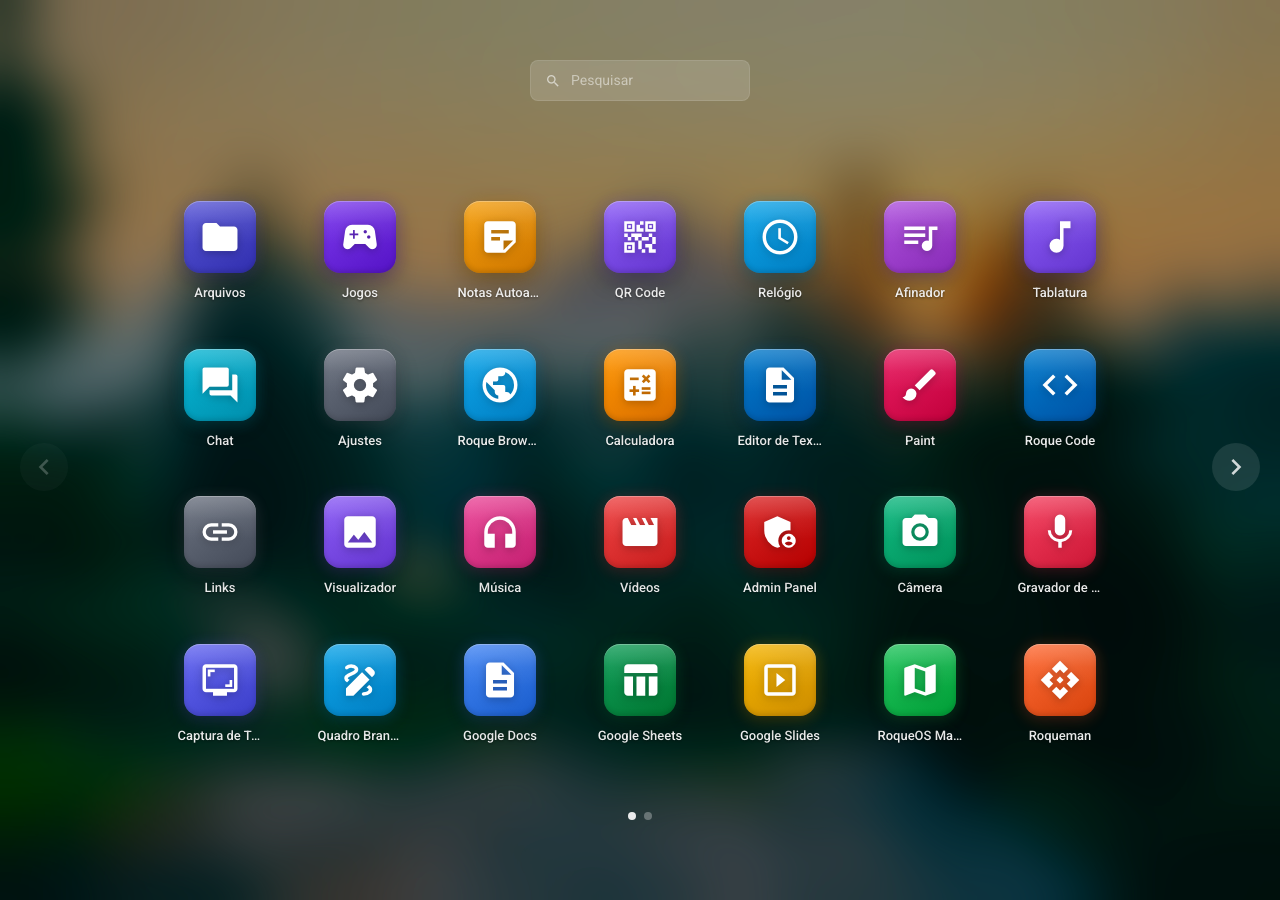
Um desktop real, com janelas redimensionáveis, barra de tarefas, Launchpad e Spotlight. A mesma interface responsiva que funciona em telas de 5" a 32".
Modo Servidor (Self-Hosted)
Ao conectar um RoqueOS Server (instalado via Docker na sua máquina ou VPS), você desbloqueia um conjunto completo de ferramentas de poder:
- Terminal Linux nativo no navegador
- Navegador Remoto (acesse qualquer URL pelo servidor)
- App Store Docker para instalar dezenas de aplicações com um clique
- Gerenciador de Arquivos com acesso a discos mapeados no servidor
Plataforma Viva
O RoqueOS é atualizado continuamente via web. Não há instalação de atualizações, não há reinicializações. Toda nova funcionalidade aparece automaticamente na próxima vez que você abrir o browser.
Auto-hospedado
Você tem controle total dos seus dados. O servidor roda no seu hardware, na sua nuvem, com suas regras.
Onde o RoqueOS se Encaixa?
| Cenário | Como o RoqueOS ajuda |
|---|---|
| Homelab | Hub visual para gerenciar containers, serviços e servidores domésticos |
| Desenvolvimento Remoto | VS Code, terminal Linux e containers de qualquer lugar do mundo |
| Educação | Ambientes prontos para aulas de programação sem instalação |
| Casa Inteligente | Central de automação com Home Assistant integrado |
| QA e DevOps | Ambientes isolados de teste baseados em containers |
| Apps Legados | Execute aplicações legadas em containers com interface web |
Plataformas Disponíveis
O RoqueOS está disponível em múltiplas plataformas:
- 🌐 Web — roqueos.com.br (acesso imediato, sem instalação)
- 🪟 Windows — Microsoft Store
- 🍎 iOS / macOS — Apple App Store
- 🤖 Android — Google Play
- 🐳 Docker — Docker Hub
Quando alguma coisa não aparece
| O que você vê | O que está acontecendo | O que fazer |
|---|---|---|
| Um app no Launchpad com a etiqueta Servidor e não abre | ele precisa de um RoqueOS Server conectado | instale e conecte o servidor, ou use os apps que rodam só no navegador |
| O app não aparece no Launchpad nem na busca | ou ele exige servidor, ou exige ser administrador do servidor | confira as duas coisas; alguns apps, como o Casa, só aparecem para administradores |
| O desktop abre mas fica sem os seus dados | você não entrou na conta | entre com o seu e-mail: notas, links e ajustes vivem na conta, não no aparelho |
| A tela some ao virar o celular | é o layout mudando para o modo de celular | o RoqueOS troca de layout abaixo de 600 px de largura; nada foi perdido |