🌐 此页面尚未翻译为中文。显示葡萄牙语(BR)参考。帮助翻译。
Produtividade
Apps que cobrem o dia a dia de trabalho: navegar, anotar, calcular, ler PDF, gerar QR Code. Tudo integrado, sincronizado entre dispositivos, sem instalar nada além do RoqueOS.
Antes de começar
Os seis rodam só no navegador: não precisam de servidor. O que muda com a conta é a sincronia — bookmarks, notas e histórico ficam na conta, não no aparelho, então sem entrar você perde tudo ao trocar de máquina.
Abrindo qualquer um deles, em três passos
- Abra o Launchpad no primeiro ícone do dock.
- Digite o nome do app na busca — "notas", "calculadora", "pdf".
- Clique no ícone. Abre como janela; no celular, em tela cheia.
🌐 Roque Browser, navegador embutido
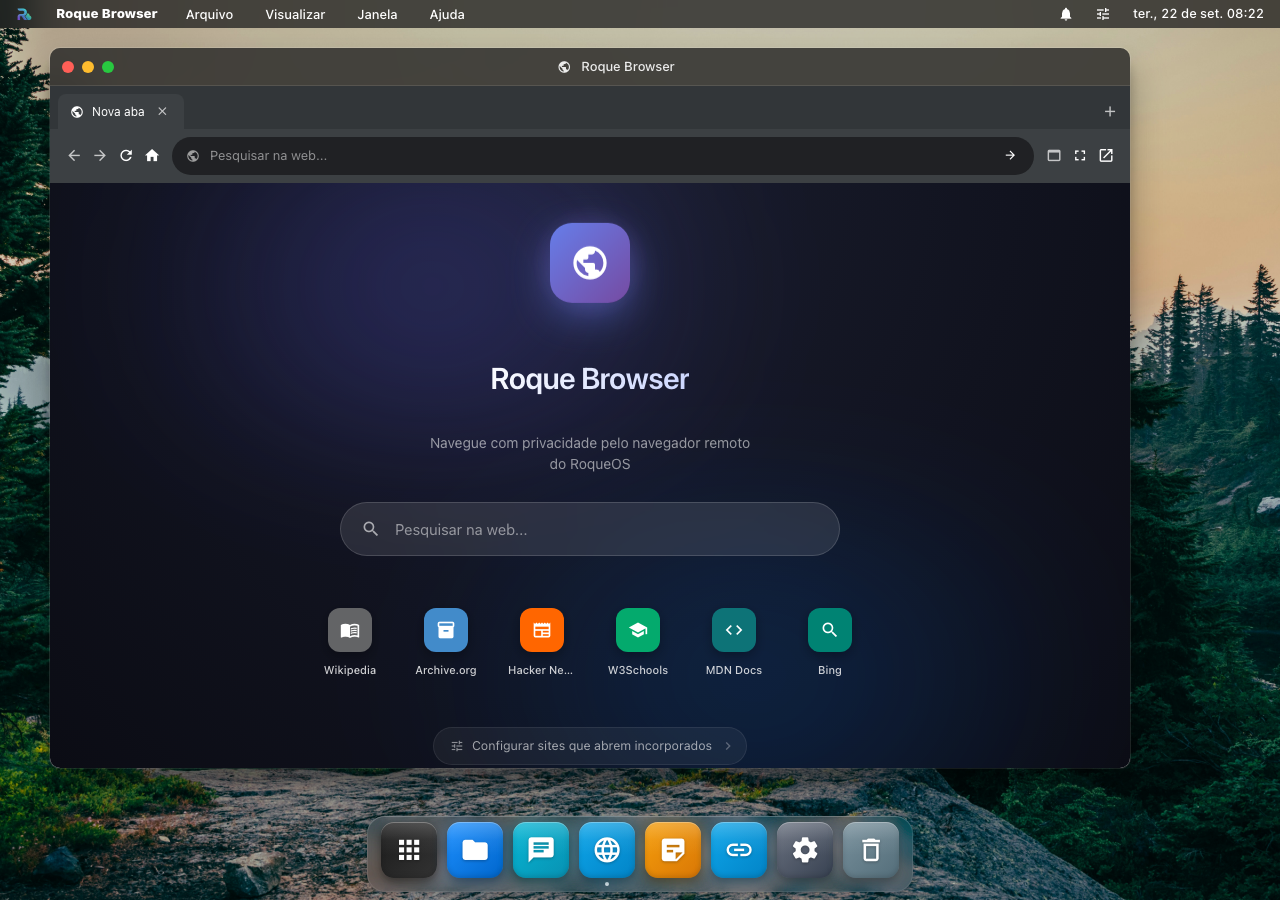
Navegador completo dentro do RoqueOS, com abas múltiplas, histórico e bookmarks sincronizados. Pra abrir links sem sair do desktop, fazer pesquisa rápida ou rodar app web que não foi feito pra ser PWA.
Funções
- 🗂️ Múltiplas abas com drag-and-drop pra reorganizar
- 🔖 Bookmarks sincronizados na sua conta (não no navegador do dispositivo)
- 📜 Histórico unificado entre todos seus devices logados
- 🔍 Busca rápida na barra de endereço
- 🎨 Tema dark automático (combina com o RoqueOS)
- 🔒 Modo privado: aba sem histórico nem cookies persistidos
- 🪟 Picture-in-Picture: vídeo no mini player flutuante
Por que usar em vez do Chrome
- ✅ Bookmarks na sua conta: você troca de celular, bookmarks vêm junto. Sem precisar Chrome Sync
- ✅ Aba não some: feche o app por engano, abre de novo e tá tudo lá
- ✅ Sem rastreamento: sem login Google, sem coleta de dados
- ✅ Roda dentro do desktop: 3 abas + Terminal + VS Code lado a lado sem alt-tab
Limitações
Não é Chromium fork (é iframe). Sites com X-Frame-Options: deny strict não rodam (poucos hoje). Pra eles, use "Abrir externamente" → abre no Chrome do dispositivo.
📝 Notes, sticky notes que sincronizam
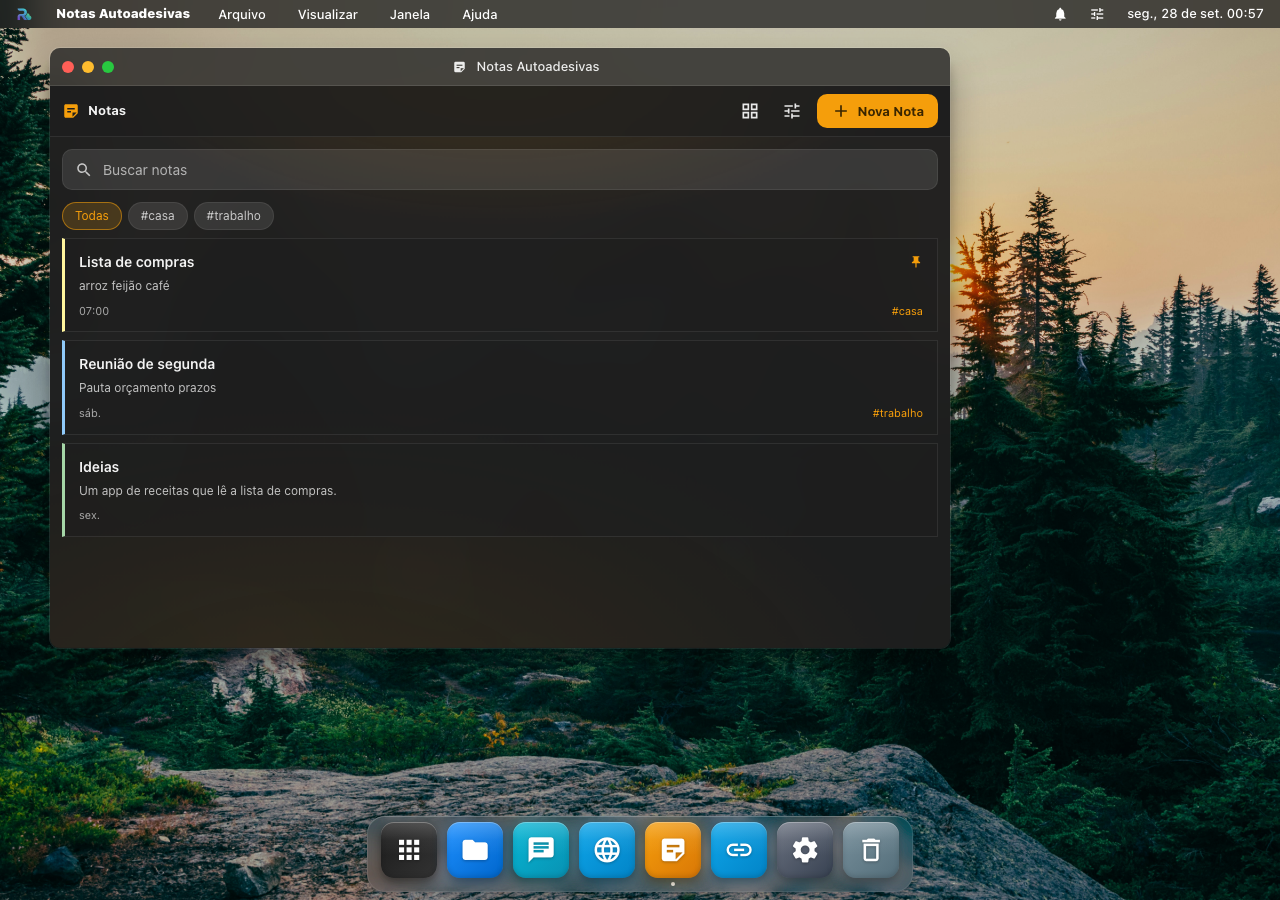
Notas em Markdown que também são post-its da área de trabalho: a mesma nota aparece no app e na mesa, e o que muda num lugar muda no outro. Ficam na sua conta, então aparecem em qualquer aparelho em que você entrar.
Funções
- ✏️ Markdown com três modos: editar, visualizar e dividido (texto e resultado lado a lado). A barra do editor põe negrito, itálico, título, lista, lista de tarefas, código, link e citação na seleção
- 🔍 Busca no título e no texto de todas as notas
- 🏷️ Etiquetas: dê quantas quiser a uma nota e filtre a lista por etiqueta
- 📌 Fixar: a nota fixada fica no topo da lista
- 🗂️ Lista ou grade, ordenada pela última modificação, pela criação ou pelo título
- 📤 Exportar em
.mdou.txt, ou salvar nos Arquivos, na pasta Documentos - 🖥️ Na mesa ou não: cada nota escolhe se aparece como post-it na área de trabalho, e o ajuste "Mostrar notas na mesa" vale para as notas novas
- 🎨 8 cores: a nota nasce com uma delas, e você troca pelo post-it na mesa
- ✨ IA sobre a nota: melhorar a escrita, corrigir, resumir, expandir, traduzir ou passar pra Markdown
Da mesa para o app
No post-it da área de trabalho, "Abrir em Notas" abre o app já com aquela nota no editor. Se as Notas já estiverem abertas, elas trocam para a nota que você pediu, sem abrir outra janela. Mover e redimensionar o post-it não mexe no texto, e editar a nota no app não desfaz a posição do post-it.
Escrever com IA
O botão ✨ do editor abre o painel de IA do RoqueOS com a nota aberta como contexto. Diferente do PDF e do Terminal, aqui a resposta pode substituir o texto da nota (é conteúdo seu, editável), então "Melhorar" reescreve no lugar. Se preferir só ver a sugestão, copie do painel e feche sem aplicar.
Precisa de Modo Servidor ativo e de pelo menos um agente salvo no Estúdio de IA.
Sem conta
As notas moram na conta. Sem entrar, o app abre e avisa "Entre na sua conta para guardar notas.", sem perder nada do que já está guardado.
Por que sticky notes?
A diferença de Notion/Obsidian: velocidade de captura. Você tem ideia, clica direita no desktop → Nova Nota, escreve 2 linhas, fecha. Não precisa abrir app, escolher database, definir tags.
Use Notes pra:
- Reminders rápidos ("ligar pro contador às 14h")
- Snippet de código que você usa frequente
- Lista de compras
- Anotações de reunião em curso
- Pensamento aleatório que pode virar algo depois
Pra documentos longos, use Text Editor ou Roque Code.
🧮 Calculadora, científica e com histórico
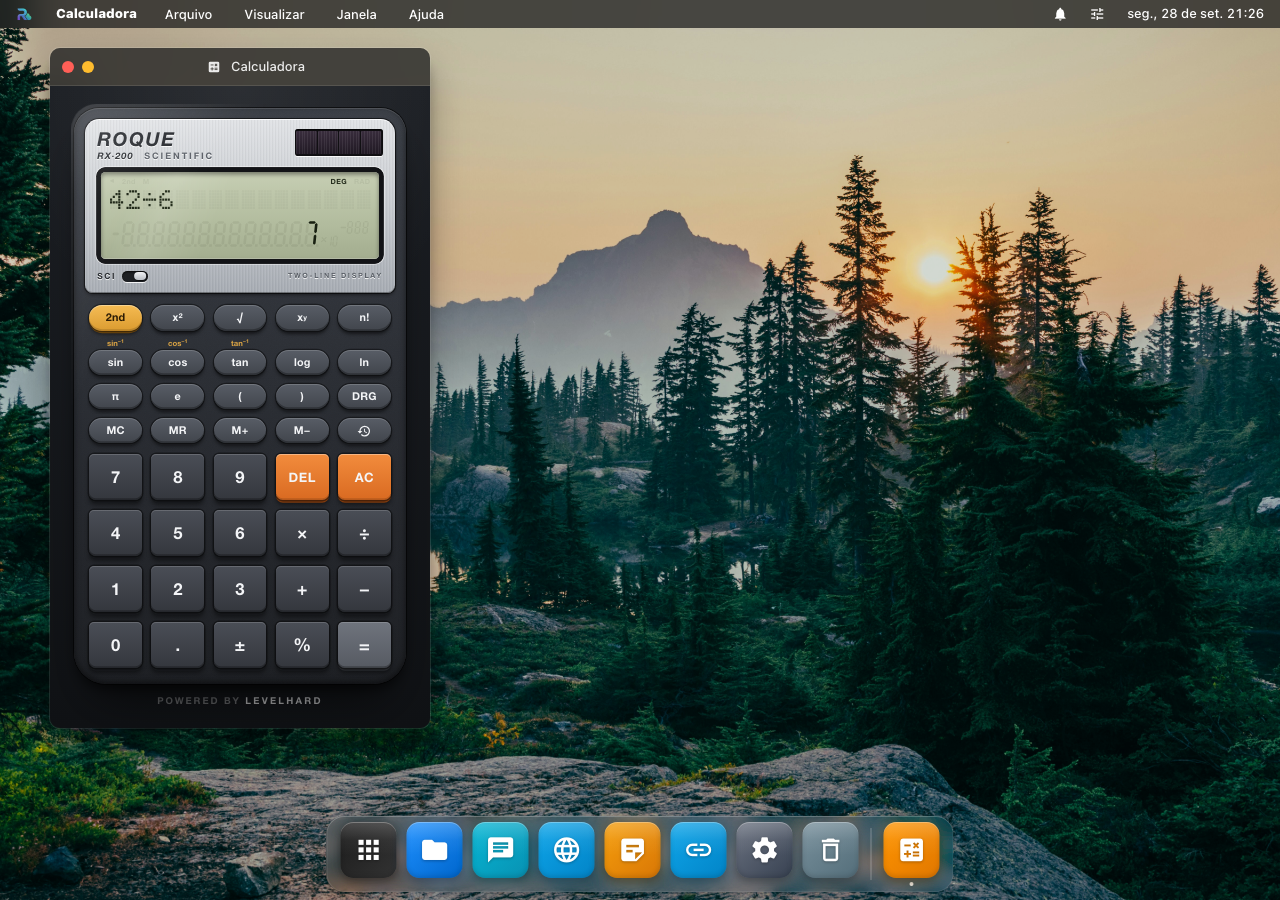
Calculadora científica com cara de calculadora de engenharia: visor de duas linhas (a conta em cima, o resultado embaixo), teclado científico, memória e histórico. O código é aberto, em roqueos-apps/calculadora.
O visor
- Em cima, a conta que você digita, com o fim à mostra. A seta ◀ acende quando o começo não cabe.
- Embaixo, o resultado. Enquanto você digita, ele mostra a prévia; número muito grande ou muito pequeno sai em notação científica, com o expoente pequeno ao lado do ×10.
- Indicadores: 2nd ligado, M (há algo na memória), DEG ou RAD.
Teclas
- Científicas: 2nd, x², √, xʸ, n!, sin, cos, tan, log, ln, π, e, parênteses e DRG (graus ou radianos). Com o 2nd ligado, sin, cos e tan viram as inversas, impressas em âmbar em cima de cada uma.
- Chave SCI, no painel: esconde as teclas científicas e deixa só o teclado básico.
- Memória: MC, MR, M+ e M−. A tecla do relógio abre o histórico das últimas 60 contas; tocar numa traz o resultado de volta.
- Básicas: números, ponto, ×, ÷, +, −, ± (troca o sinal), % (divide por 100), =, DEL (apaga o último caractere) e AC (limpa tudo).
Teclado físico
Com a janela da Calculadora ativa: números, ponto ou vírgula, + - * / ^ ( ) % !, Enter ou = calcula, Backspace apaga e Esc limpa (ou fecha o histórico).
📝 Text Editor, editor markdown simples
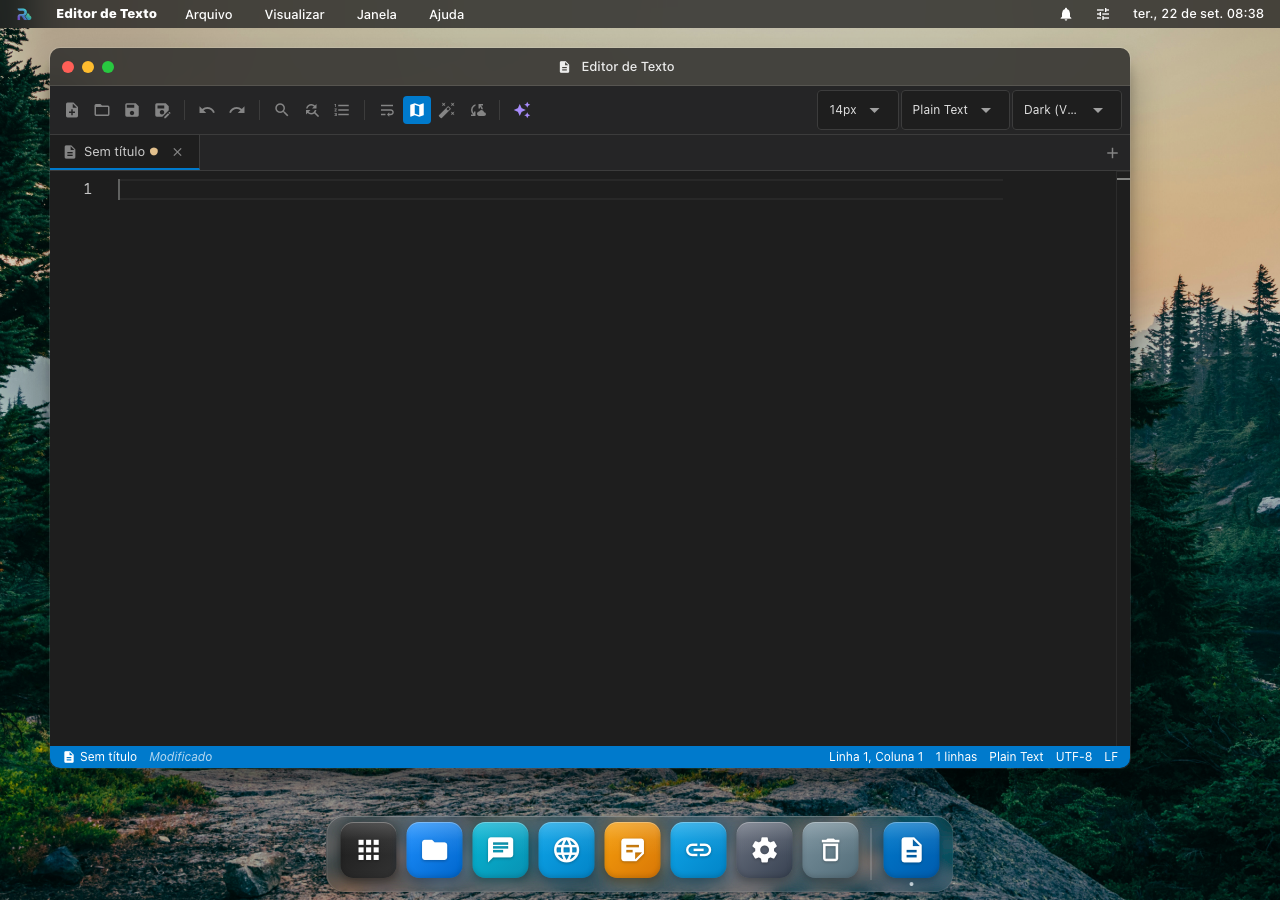
Editor de texto puro com suporte a markdown e preview side-by-side. Não é Notion, não é Vim, é o "Bloco de Notas" que faltava no navegador, mas que renderiza markdown.
Funções
- 📝 Markdown live preview: split view, edição esquerda, preview formatado direita
- 🌳 Outline: árvore de headings na lateral (navegação rápida em docs longos)
- 📑 Tabs: vários arquivos abertos em tabs (Ctrl+Tab navega)
- 🔍 Find & Replace (Ctrl+F / Ctrl+H), com regex opcional
- 💾 Auto-save a cada 3s (sem perder texto se o navegador travar)
- 🎨 Tema: light / dark / sepia / high-contrast
- 📤 Export: salva como
.md,.txt,.html, ou copia HTML formatado pro clipboard
Diferença vs Roque Code
| Aspecto | Text Editor | Roque Code |
|---|---|---|
| Foco | Prosa, markdown, anotações | Código (JS, Python, etc.) |
| Syntax highlight | Markdown only | 50+ linguagens (Monaco/VS Code engine) |
| Autocomplete | Não | Sim, baseado no contexto |
| Multi-cursor | Não | Sim |
| Tamanho do arquivo | Bom até 1MB | Bom até 10MB |
Use Text Editor pra escrever artigo blog. Use Roque Code pra editar package.json.
📚 Roque PDF, leitor profissional
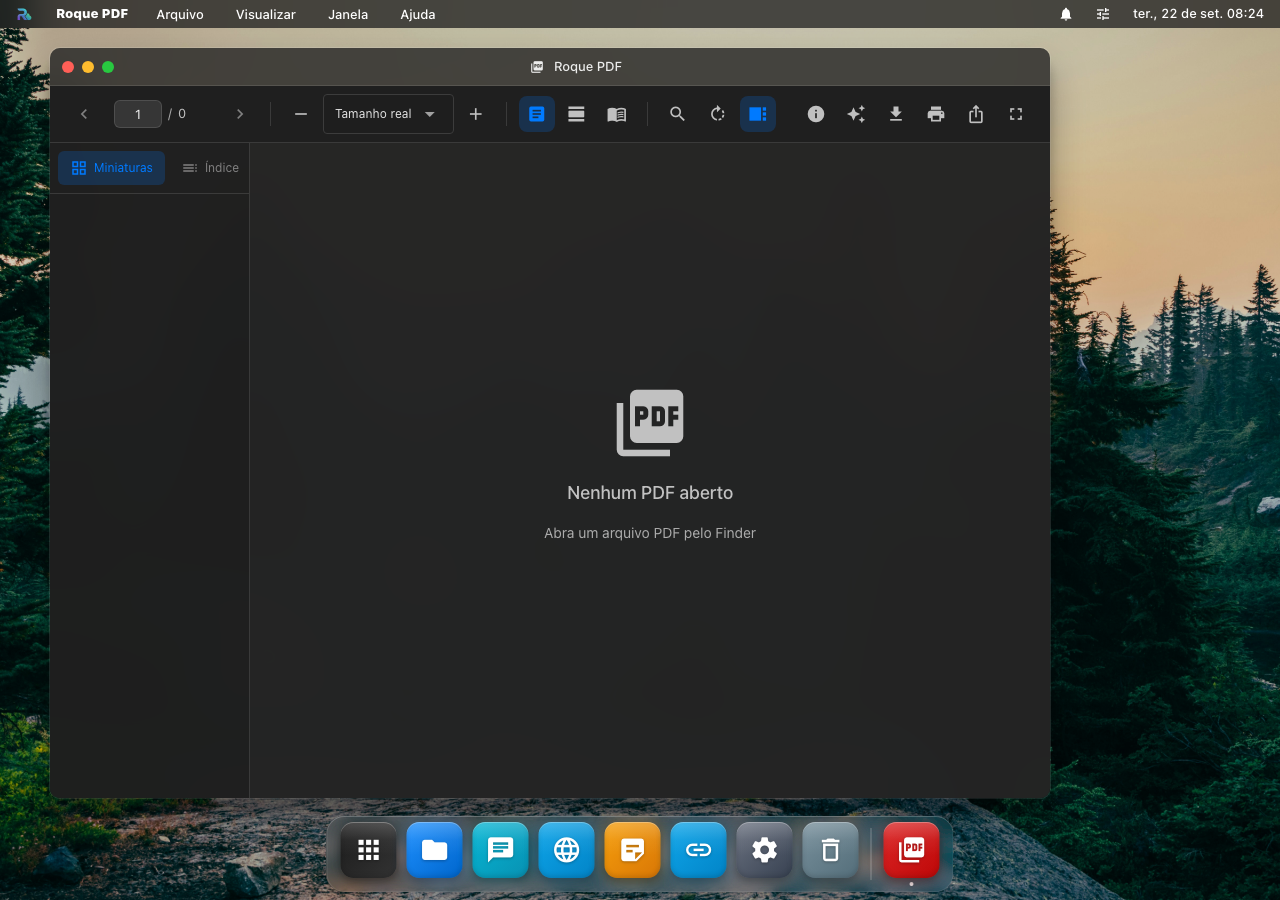
Visualizador de PDF com tudo que você esperaria: busca full-text, zoom, anotações, thumbnails de páginas, modo apresentação.
Funções
- 🔍 Busca full-text com highlight de matches (Ctrl+F)
- 📑 Thumbnails sidebar: visão de todas as páginas, click pra pular
- ✍️ Anotações: highlight, sublinhado, sticky note, desenho à mão livre
- 📋 Copy texto: select + Ctrl+C copia o texto selecionado (não imagem)
- 🖨️ Print ou exporta páginas específicas como PDF novo
- 📺 Modo apresentação: fullscreen + setas de teclado pra passar página
- 🌙 Inverter cores: dark mode pra leitura noturna
- 📐 Zoom 25-400% com fit-to-width, fit-to-height
Integração
Duplo-clique em .pdf no Finder abre direto. Reading position fica salva, fechar e abrir de novo, volta na página onde estava.
Ler o documento com IA
O botão ✨ na barra de ferramentas manda o texto do PDF pra um dos seus agentes do Estúdio de IA. Ações prontas: Resumir, Pontos principais e Explicar; o campo livre aceita qualquer pergunta sobre o documento aberto.
O que ele lê é a camada de texto do PDF, a mesma que a busca usa. Um PDF escaneado (foto de página, sem camada de texto) devolve nada, e o painel diz isso em vez de mandar uma pergunta sem conteúdo. Documento muito longo é cortado num teto, então a resposta cobre o começo, não as 400 páginas.
A resposta fica no painel, com botão de copiar. O agente não escreve dentro do seu PDF.
Limitações
- Não edita PDF (só anota). Pra editar conteúdo, exporte pra Word/LibreOffice
- Forms PDF interativos: lê mas alguns campos avançados não funcionam (limitação PDF.js)
📲 QR Code
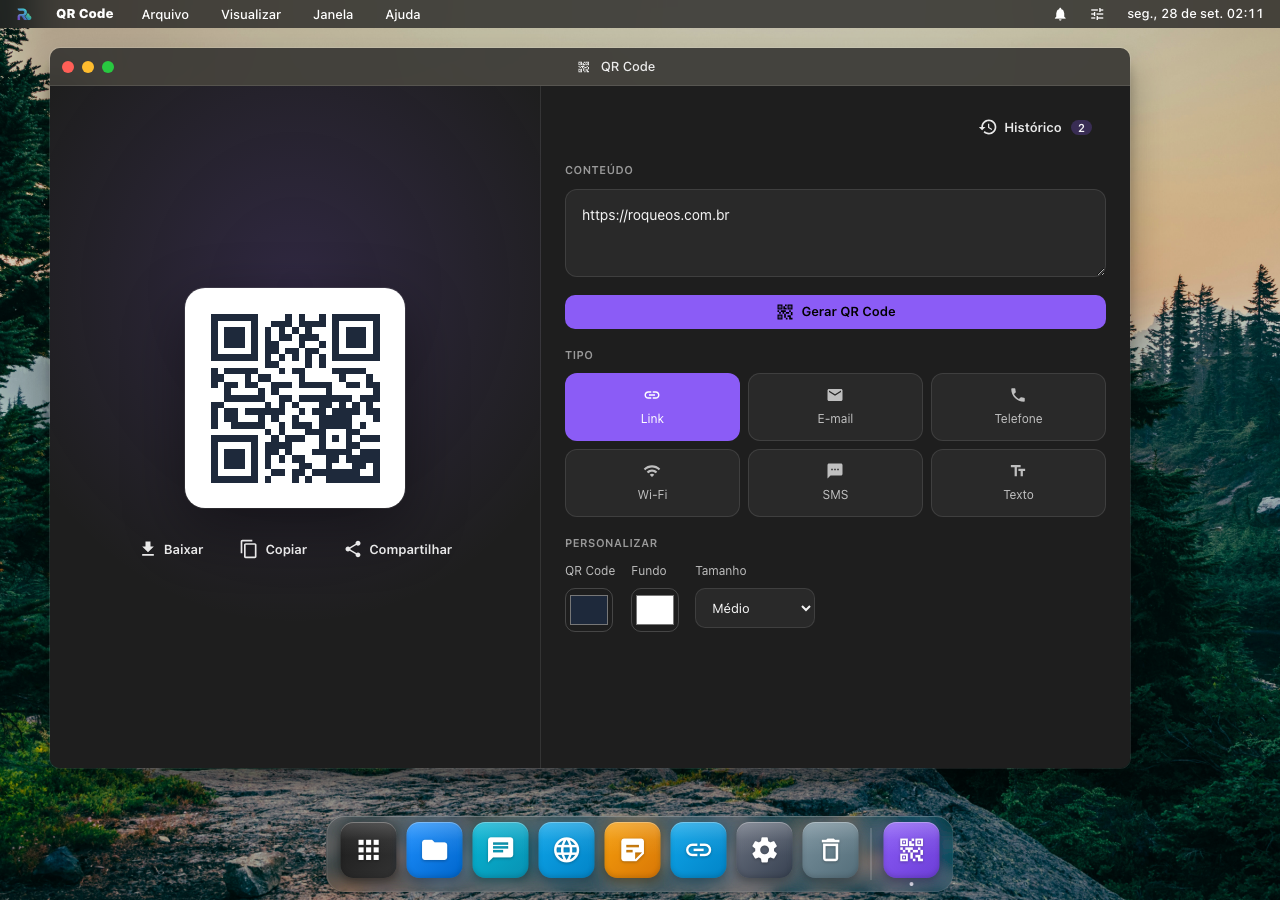
Gera o QR Code de um link, de uma rede Wi-Fi, de um e-mail, de um telefone, de um SMS ou de qualquer texto, e baixa, copia ou compartilha a imagem. O código é desenhado no próprio aparelho: o que você digita não vai para serviço nenhum de fora, nem a senha do Wi-Fi.
Gerar um código
- Escolha o tipo: Link, E-mail, Telefone, Wi-Fi, SMS ou Texto. O campo ganha um modelo com exemplo; troque o exemplo pelos seus dados.
- Personalize, se quiser: a cor do código, a cor do fundo e o tamanho (Pequeno, Médio, Grande ou HD, de 200 a 800 pixels).
- Toque em Gerar QR Code. A prévia aparece em cima.
Cabe texto de até uns 2.900 caracteres sem acento (menos com acento ou em japonês e chinês, que ocupam mais). Texto curto sai com a correção de erro mais forte, que ainda lê o código riscado ou meio apagado; o longo usa a mais leve para caber. Texto longo demais para caber num QR Code não gera, e o app avisa.
Levar o código para fora
- Baixar: salva o PNG no aparelho.
- Copiar: copia a imagem, para colar num documento ou numa conversa. Onde o navegador não copia imagem, ou recusa, copia o texto do código.
- Compartilhar: abre a folha de compartilhar do aparelho com a imagem e o texto do código. Onde o aparelho não compartilha arquivo, a folha abre só com o texto; onde não há folha, copia.
Histórico
Com a conta, cada código gerado entra no Histórico, com a miniatura e o texto, e volta em qualquer aparelho. Tocar numa entrada devolve o texto, as cores e o tamanho ao formulário e desenha o código de novo. Limpar apaga o histórico inteiro, e pede confirmação antes.
Sem conta, o código aparece do mesmo jeito; só não é guardado.
Casos de uso
- 📡 Wi-Fi para visita sem ditar senha: tipo Wi-Fi, troque o nome da rede e a senha, gere e deixe a imagem na tela ou impressa.
- 🔗 Link num cartaz ou num slide: tipo Link, baixe o PNG em HD e cole onde for imprimir.
- ✉️ E-mail pronto: o tipo E-mail já leva assunto e mensagem; quem lê o código abre o e-mail preenchido.
Veja também
- Roque Code, editor de código (mais robusto que Text Editor pra programar)
- Roqueman, API client (HTTP/WS/GraphQL)
- Finder, central de arquivos onde tudo é salvo