🌐 此页面尚未翻译为中文。显示葡萄牙语(BR)参考。帮助翻译。
Desenvolvimento & Criatividade
4 apps que cobrem programação leve e criação visual direto no navegador. Mesmo engine do VS Code pra editar código, cliente de API estilo Postman pra debugar serviços, ferramentas de desenho responsivas pra wireframe e brainstorm.
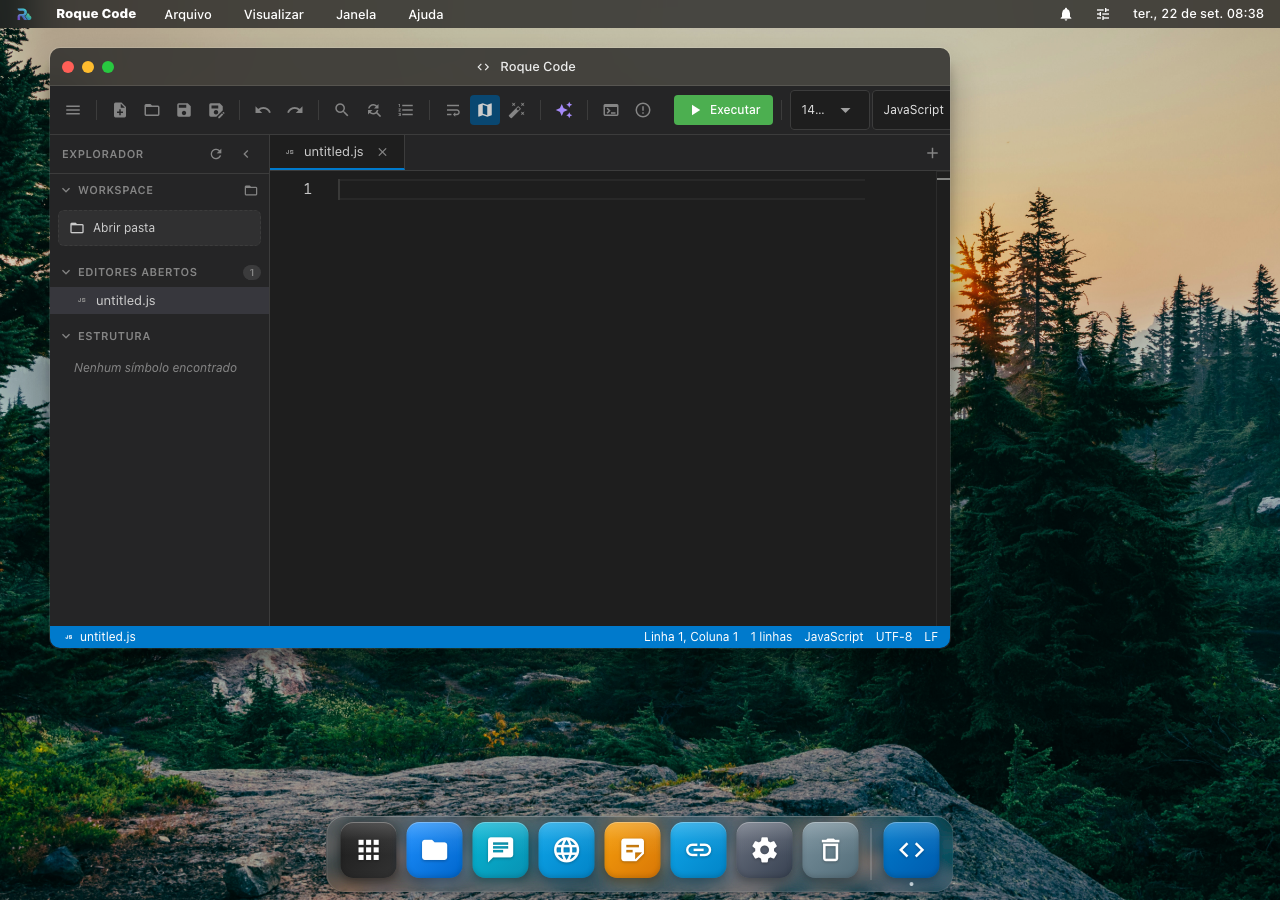
👨💻 Roque Code, editor de código (Monaco/VS Code engine)
Editor de código moderno com a mesma engine do VS Code (Monaco). Syntax highlight, autocomplete, multi-cursor, find & replace com regex, sem instalar nada.
Funções
- 🎨 Syntax highlight pra 50+ linguagens, JS/TS, Python, Go, Rust, Java, C/C++, Ruby, PHP, Swift, Kotlin, Shell, SQL, HTML/CSS, JSON/YAML/TOML, Markdown, Vue, Svelte, Astro, etc.
- 🤖 Autocomplete IntelliSense: variáveis no scope, propriedades de objetos, snippets de linguagem
- ✨ Multi-cursor:
Alt+Clickadiciona cursor,Ctrl+Dseleciona próxima ocorrência (igual VS Code) - 🔍 Find & Replace com regex (Ctrl+F / Ctrl+H), find in selection only
- 📑 Múltiplos arquivos em tabs (Ctrl+Tab pra alternar)
- 🌳 Outline panel com símbolos do arquivo (funções, classes)
- 🪄 Format on save com Prettier embedded pra
.js/.ts/.vue/.json/.md - 🎨 Temas: VS Code default + Dracula + Monokai + Solarized
- 💾 Auto-save a cada 3s (não perde código se navegador travar)
Diferença vs VS Code completo
| Aspecto | Roque Code | VS Code (app dedicado) |
|---|---|---|
| Engine | Monaco (mesmo do VSCode) | Electron + Monaco |
| Extensões | ❌ não suporta marketplace | ✅ todas |
| Terminal embarcado | ❌ (use Terminal app separado) | ✅ |
| Git integration | ❌ | ✅ |
| Linguagens suportadas | 50+ syntax highlight | 100+ + LSP |
Trabalhar o código com IA
O botão ✨ manda o arquivo aberto pra um dos seus agentes, junto com a linguagem que o editor detectou. Ações prontas: Melhorar, Corrigir, Comentar e Explicar; o campo livre aceita qualquer pedido ("converte pra async/await").
Como o arquivo é editável, a resposta de "Melhorar" e "Corrigir" substitui o conteúdo do editor. O undo (Ctrl+Z) continua valendo, então dá pra voltar se não gostou. "Explicar" só mostra no painel.
Use Roque Code pra: editar config (json/yaml), script rápido, prototipar, snippet pra blog post.
Pra projeto fullstack com Git: use VS Code integrado do RoqueOS Server, code-server real com extensões.
Atalhos
| Tecla | Ação |
|---|---|
Ctrl+S | Salvar |
Ctrl+F / Ctrl+H | Find / Replace |
Ctrl+D | Selecionar próxima ocorrência |
Ctrl+/ | Toggle comentário |
Alt+↑/↓ | Move linha pra cima/baixo |
Shift+Alt+↓ | Duplicar linha |
Ctrl+Shift+K | Apagar linha |
Ctrl+P | Quick open (busca por arquivo) |
🛠️ Roqueman, cliente de API (HTTP / WebSocket / GraphQL)
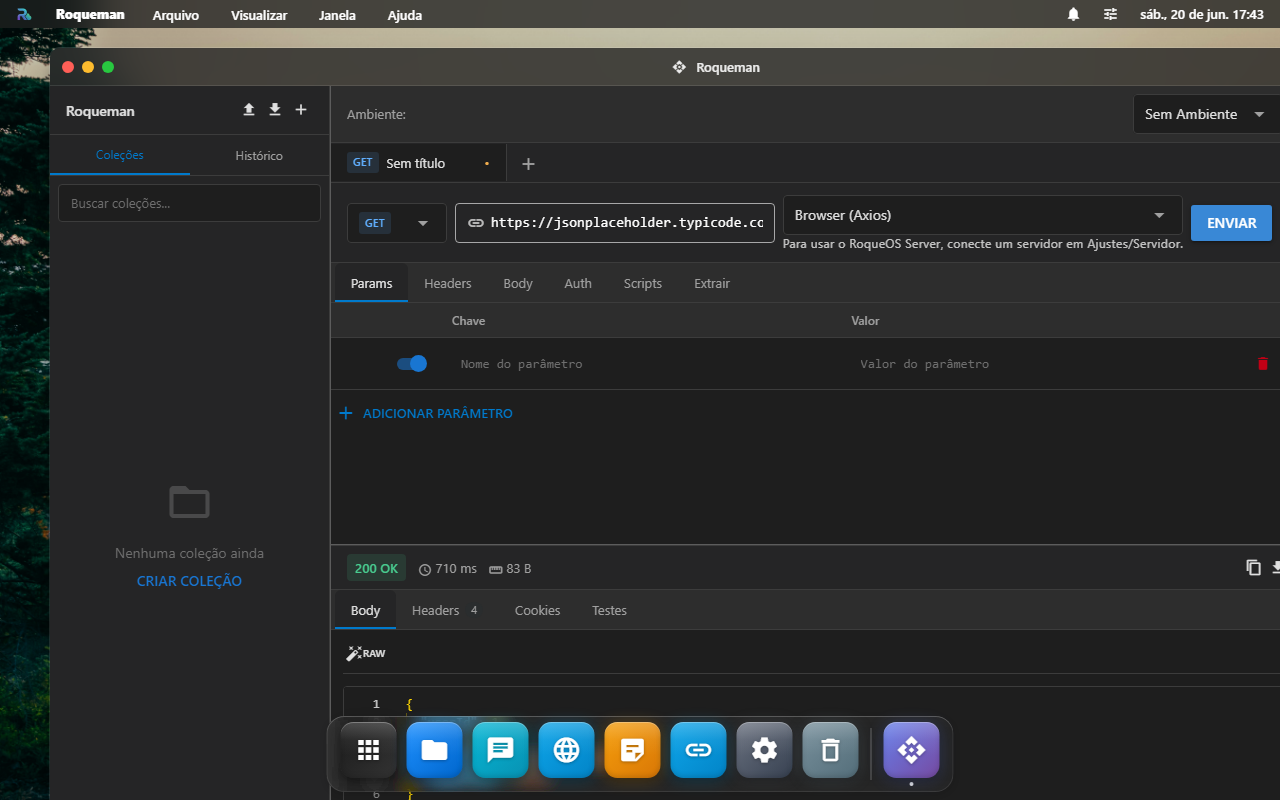
Cliente completo de API estilo Postman/Insomnia, mas dentro do RoqueOS. Suporta os 3 protocolos que devs usam no dia a dia.
HTTP
- 🌐 Métodos: GET, POST, PUT, PATCH, DELETE, OPTIONS, HEAD
- 📋 Headers: editor de tabela, com sugestões dos headers padrão (Content-Type, Authorization, etc.)
- 🔐 Auth: Bearer Token, Basic, API Key (header/query/cookie), OAuth 2.0, AWS Signature v4
- 📦 Body: JSON, form-data, x-www-form-urlencoded, raw text, file upload, binary
- 📜 Response: pretty-print JSON com fold, raw, preview HTML, headers, cookies, timing
- 🔍 JSON path filter: aplique
$.data[0].nomedireto no response pra debug rápido - 🕰️ Histórico das últimas 100 requests
- 📚 Collections: organize endpoints em pastas, exporta/importa formato Postman
WebSocket
- 🔌 Conexão:
ws://ouwss://, com headers/auth iguais ao HTTP - 📤 Send: texto, JSON, binário
- 📥 Receive: lista cronológica de mensagens com timestamp
- 🎯 Filter: filtra received messages por substring ou regex
- 🔄 Auto-reconnect: opcional, com backoff
GraphQL
- 📝 Query editor com syntax highlight + autocomplete baseado em schema (introspection)
- 🔍 Schema explorer: árvore navegável dos types/fields disponíveis
- 📊 Variables panel: JSON separado pra valores
- 📜 Saved queries (com versionamento)
Variáveis de ambiente
Crie environments (Dev, Staging, Prod) com vars tipo , . URL e headers substituem automaticamente. Trocar de environment = clica num dropdown.
Diferencial vs Postman
- ✅ Sem login obrigatório, Postman exige conta agora
- ✅ Dados ficam no seu RoqueOS (Firestore), não em servidor de terceiro
- ✅ Roda dentro do desktop, pode ter Roqueman + Terminal + Browser lado a lado
- ✅ Cross-device sync automático (mobile, desktop, etc.)
Limitações
- Não tem mock server (Postman tem)
- Não tem CI runner (Newman), pra testes automatizados, exporte Postman e use Newman externo
✨ Criar App, descreva e a IA escreve Servidor
Você escreve numa frase o que quer, e a IA escreve o aplicativo. Ele aparece ali na hora, funcionando, e você ajusta pedindo mudanças em português.
Como funciona
- Abra o Criar App e descreva a ferramenta: "um contador de água com meta diária e botão de zerar".
- Clique em Criar app. Em alguns segundos ele aparece rodando ao lado.
- Não gostou de algo? Escreva a mudança ("deixe os botões maiores, adiciona um modo escuro") e clique em Aplicar mudança. A IA edita o app que já existe, não começa do zero.
O que ele produz, e por que isso importa
O app é um arquivo HTML só, com todo o CSS e o JavaScript dentro dele. Isso não é limitação, é a segurança inteira da feature:
- Ele roda numa caixa isolada (
sandbox) sem origem própria. Não lê os dados de nenhum outro app, não mexe na janela em volta, não alcança a sua sessão do RoqueOS. - A rede dele é bloqueada. Um app criado a partir de uma frase não tem por que ligar para casa, e o bloqueio é imposto pelo navegador, não é promessa. Por isso a IA é instruída a não usar CDN, fonte remota nem imagem por URL: elas simplesmente não carregariam.
- O que você vê na prévia roda sob exatamente as mesmas regras do app publicado. Nada funciona ali e quebra depois.
Para que serve (e para que não serve)
Serve para a ferramentinha que só você precisa e que não existe pronta: um contador, uma calculadora de um cálculo específico seu, um sorteador, um cronômetro de treino, uma tabela que some quando você fecha.
Não serve para app que precisa guardar dados no servidor, falar com uma API ou ter várias telas com rotas. Para isso, use o Roque Code ou o VS Code integrado.
Precisa de Modo Servidor (a IA roda no seu servidor) e de pelo menos um agente salvo no Estúdio de IA.
🎨 Paint, editor de imagens e desenhos
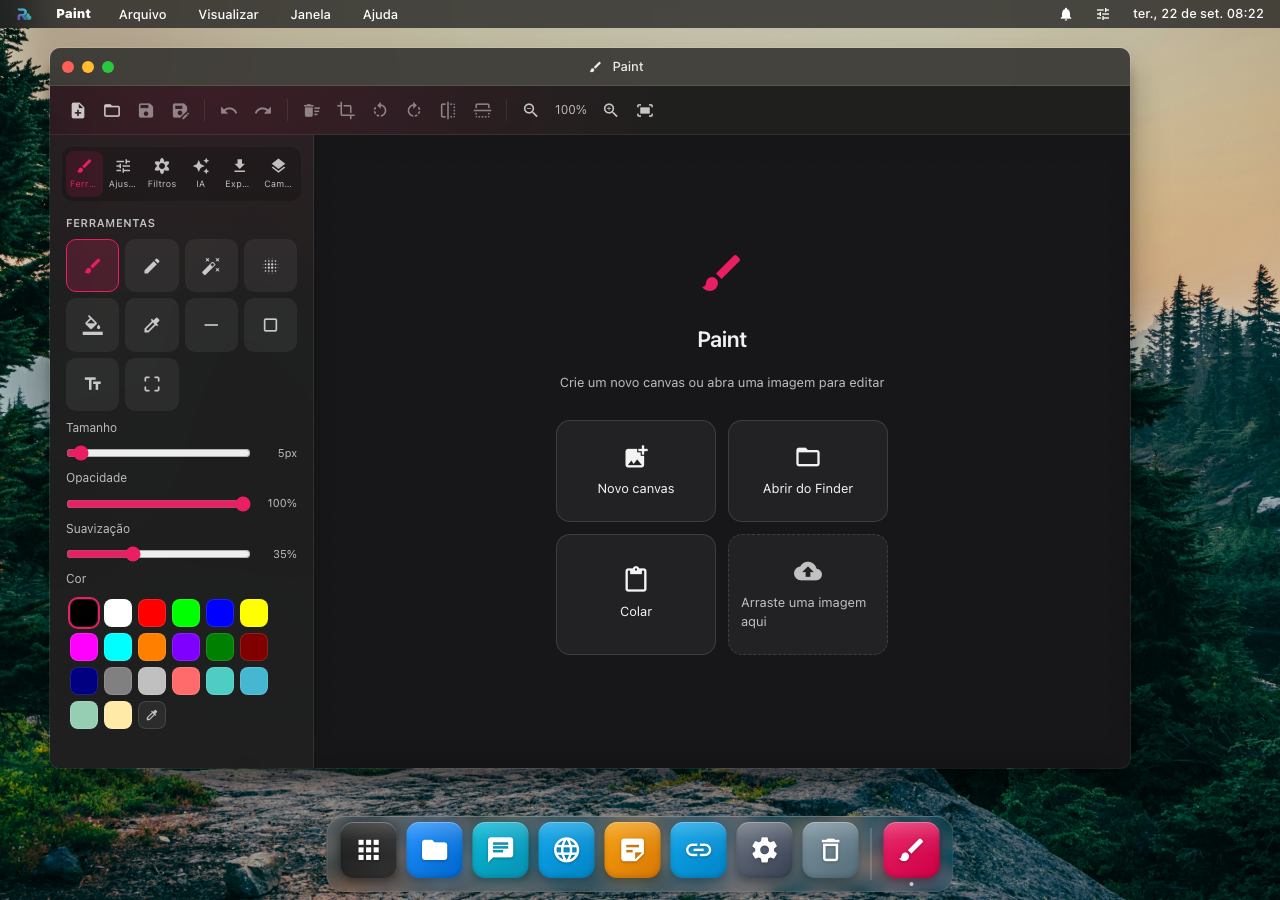
Paint web responsivo com pincéis, formas, camadas e filtros. Substitui o "Paint" do Windows com algumas funções de Photoshop básico.
Funções
- 🖌️ Pincéis: lápis, caneta, marcador, aerosol, borracha. Cada um com tamanho/opacidade
- 🎨 Cores: HEX picker + paleta + dropper (pegar cor da imagem)
- 📐 Formas: retângulo, círculo, linha, seta, polígono (com fill e contorno separados)
- ✏️ Texto: 5 fontes embutidas + size + bold/italic
- 🗂️ Camadas: até 10 layers com opacity individual + blend modes (normal / multiply / screen)
- ↩️ Undo/Redo ilimitado (até fechar o app)
- 🎭 Filtros: blur, sharpen, grayscale, sepia, brightness, contrast, hue rotate
- 📐 Resize / crop com guides
- 💾 Export: PNG, JPG (com qualidade), WebP, SVG (vector layers only)
Gerar imagem com IA
O botão ✨ pede uma descrição e devolve uma imagem gerada de verdade, que entra como uma camada nova do desenho aberto. Ou seja: ela chega editável, dá pra mover, redimensionar, apagar pedaço e desenhar por cima, em vez de virar um arquivo separado.
Quem gera é o provedor que você configurou no Estúdio de IA (OpenAI, Google Imagen, Stability ou FLUX), com a sua chave. Sem provedor de imagem configurado, o botão leva direto pra tela de Provedores.
Casos de uso
- Mockup rápido de tela ou wireframe
- Anotar screenshot pro time entender o bug
- Logo simples / banner pra Insta
- Editar foto pessoal (resize, crop, ajuste de cor)
Pra design profissional, use Figma ou Photoshop. Pra retoque rápido, Paint cobre 80% dos casos.
📋 Quadro Branco, quadro infinito pra brainstorm
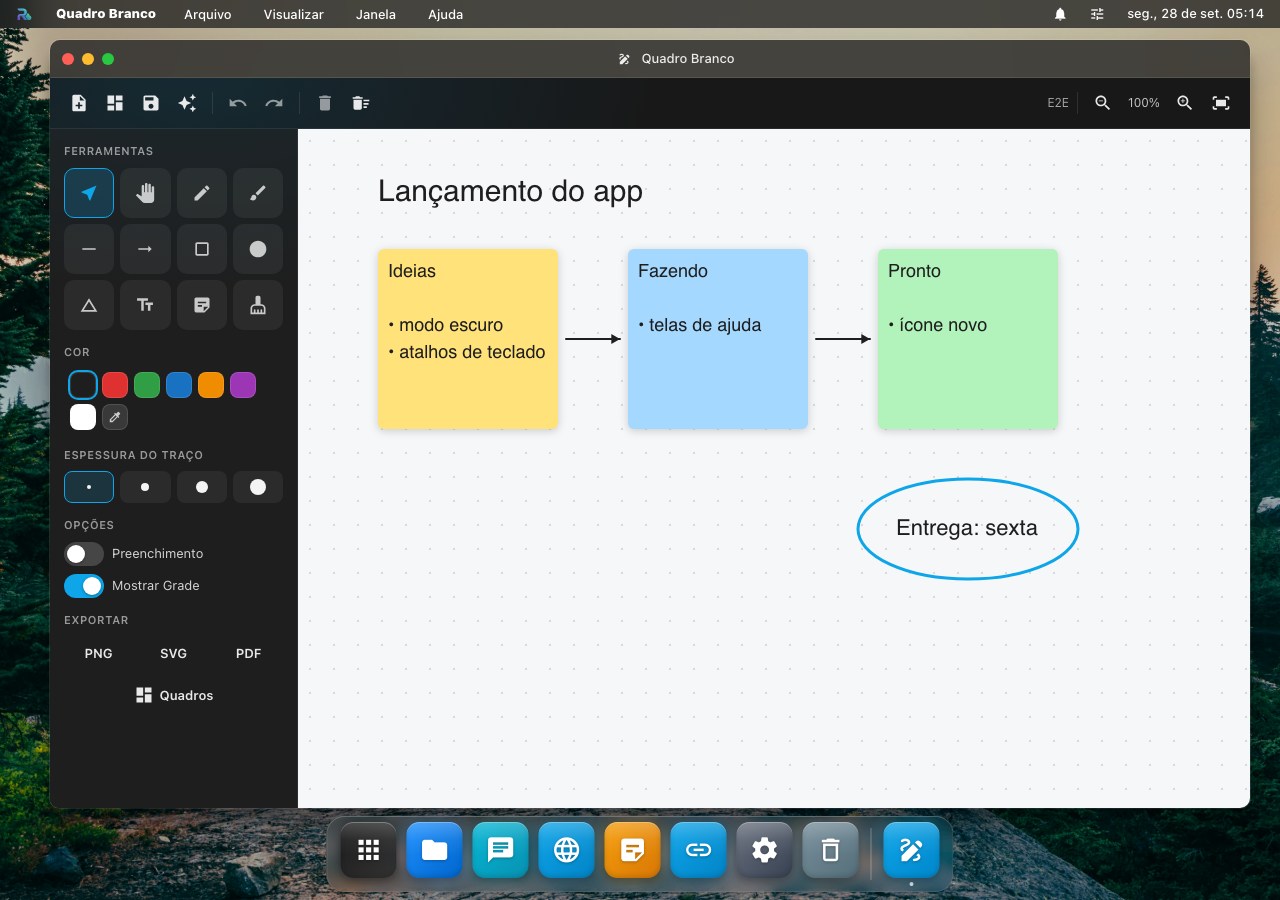
Quadro branco com canvas infinito, pra organizar ideia, mapa mental, fluxo de processo, retrospectiva de time.
Funções
- ♾️ Canvas infinito: arraste com a ferramenta Mover, com espaço + arrastar ou com dois dedos; zoom de 10% a 800%
- 🖌️ Lápis e caneta à mão livre
- 📐 Formas: retângulo, elipse, losango, linha e seta, com preenchimento opcional
- ✏️ Texto e notas adesivas em seis cores
- 📷 Imagens: cole (Ctrl+V / ⌘V) ou arraste um arquivo pro quadro
- 🔧 Editar: selecionar, mover, redimensionar, girar, duplicar (Ctrl+D), borracha, desfazer e refazer
- 🗂️ Vários quadros na conta, com salvamento automático e o último aberto de volta
- 💾 Exportar em PNG, SVG ou PDF, e guardar o quadro como
.rosboardem Documentos - 📂 Abrir um
.rosboard: dois cliques no arquivo, no Finder, abrem o Quadro Branco com ele, como um quadro novo na sua conta (também em "Abrir com")
Atalhos de ferramenta: V selecionar, H mover, P lápis, B caneta, L linha, A seta, R retângulo, O elipse, T texto, S nota, E borracha.
A imagem colada fica guardada com o quadro, na sua conta, e não aparece na pasta Imagens do Finder; a imagem maior que 10 MB entra redesenhada menor. O .rosboard leva as imagens dentro dele, para quem recebe o arquivo ver o quadro inteiro.
Sem conta, o quadro funciona, mas fica só nesta aba. Se você entrar na conta com o Quadro Branco aberto, o que desenhou vira um quadro novo da conta, e é ele que fica aberto.
Se a rede cair na hora de trocar de quadro, o quadro aberto continua como estava e o app avisa que o outro não abriu.
Ler o quadro com IA
O botão ✨ manda o conteúdo escrito do quadro (as notas adesivas e os textos, na ordem de leitura, de cima pra baixo e da esquerda pra direita) pra um dos seus agentes. Ações prontas: Resumir, Pontos principais, Explicar, Agrupar em temas e Extrair ações.
É o que fecha uma sessão de brainstorm: 40 notas espalhadas viram os temas que apareceram, ou a lista do que fazer. Um quadro só com desenho, sem nenhum texto, não tem o que mandar, e o painel diz isso.
A resposta fica no painel, com botão de copiar. O agente não desenha no seu quadro.
Mobile
Com a janela estreita (no celular, ou uma janela pequena na mesa), as ferramentas vão pro menu ☰ e a barra fica com desfazer, refazer e a IA. Um dedo desenha; dois dedos arrastam o quadro e dão zoom.
Casos de uso
- 📊 Brainstorm com notas adesivas e setas
- 🗺️ Mapa mental de projeto novo
- 🔄 Retrospectiva de sprint (colunas Start/Stop/Continue)
- 🎯 Wireframing de fluxo de UX
- 📚 Estudo: mapa de conexão entre conceitos
O que ele ainda não faz
- Duas pessoas no mesmo quadro ao mesmo tempo
- Seta que acompanha a forma quando você a move
- Modelos prontos (SWOT, kanban, retrô)
Veja também
- VS Code integrado, code-server real com extensões e Git (precisa Server Mode)
- Terminal Linux, bash + roqueos-cli + sua toolchain inteira
- Tablatura, editor profissional pra músicos
- RoqueClaw (IA agent), automatize tarefas dev via linguagem natural