Joãozinho's News
joaozinho.news is an artificial intelligence newspaper from Brazil, in Brazilian Portuguese with English and Spanish editions, published twice a day. Nothing in it is made up: every story comes from a real source, with the link. In RoqueOS it comes in two ways: a widget with the front page of the edition on the desktop, and an app that opens the paper in a window.
What you need
Just RoqueOS open and an internet connection: the widget and the app need no account, server or key. Offline, the widget stays on the desktop and says it couldn't fetch the edition.
The widget
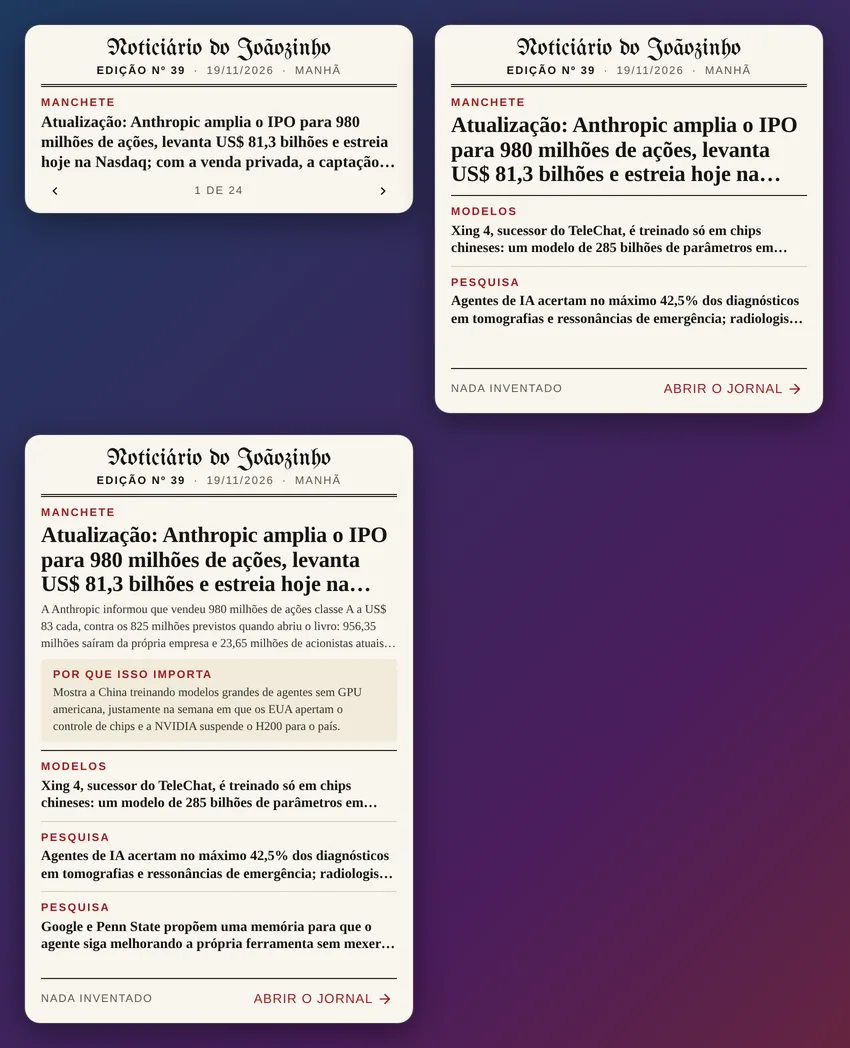
To put the widget on the desktop:
- Right-click an empty spot on the desktop and choose Add widget.
- Tap Media and choose Joãozinho's News.
- To change its size, enter edit mode and tap the widget's size button until you reach medium, large or extra large.
- Tap a story to read it in the Joãozinho app.
The card looks like a printed newspaper: cream paper, the name in blackletter, the double rule under the masthead and the paper's red in the labels.
| Size | What it shows |
|---|---|
| Medium | One story at a time, starting with the top story, like the site's "Front page 1 of N". The arrows go to the previous and next story, and it moves on by itself every 9 seconds. |
| Large | The top story and as many stories as fit, each with its section. |
| Extra large | The top story with its summary, the "Why it matters" of the first story, and more stories. |
The header shows the edition number, the date and the shift (morning or evening). Tapping a story opens the Joãozinho app on it; tapping the paper's name or Open the paper opens the front page.
The front page stops moving by itself while the pointer is over it or the focus is on the arrows, in edit mode, and when the device asks for reduced motion. The edition is fetched again every half hour.
Settings
In edit mode, tap the widget's gear:
- Newspaper language: System language (the default) follows the RoqueOS language. Portuguese, English and Spanish have their own edition; in the other RoqueOS languages the widget shows the English edition. Choose Português, English or Español to pin one.
- Paper: Light (the paper's cream) or Dark (the site's night theme).
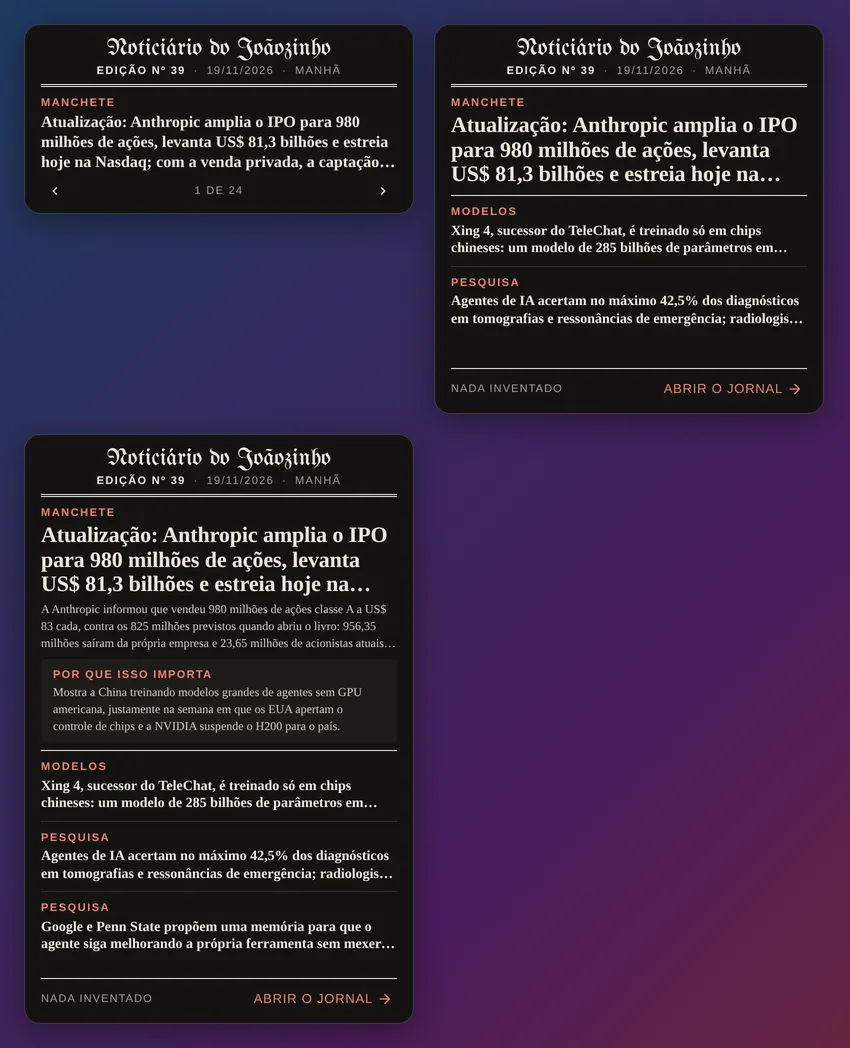
What is printed on the card (Top story, Why it matters, Nothing made up) follows the language of the edition, as in the paper. Everything else (Open the paper, the arrows, the messages) follows the RoqueOS language.
The app
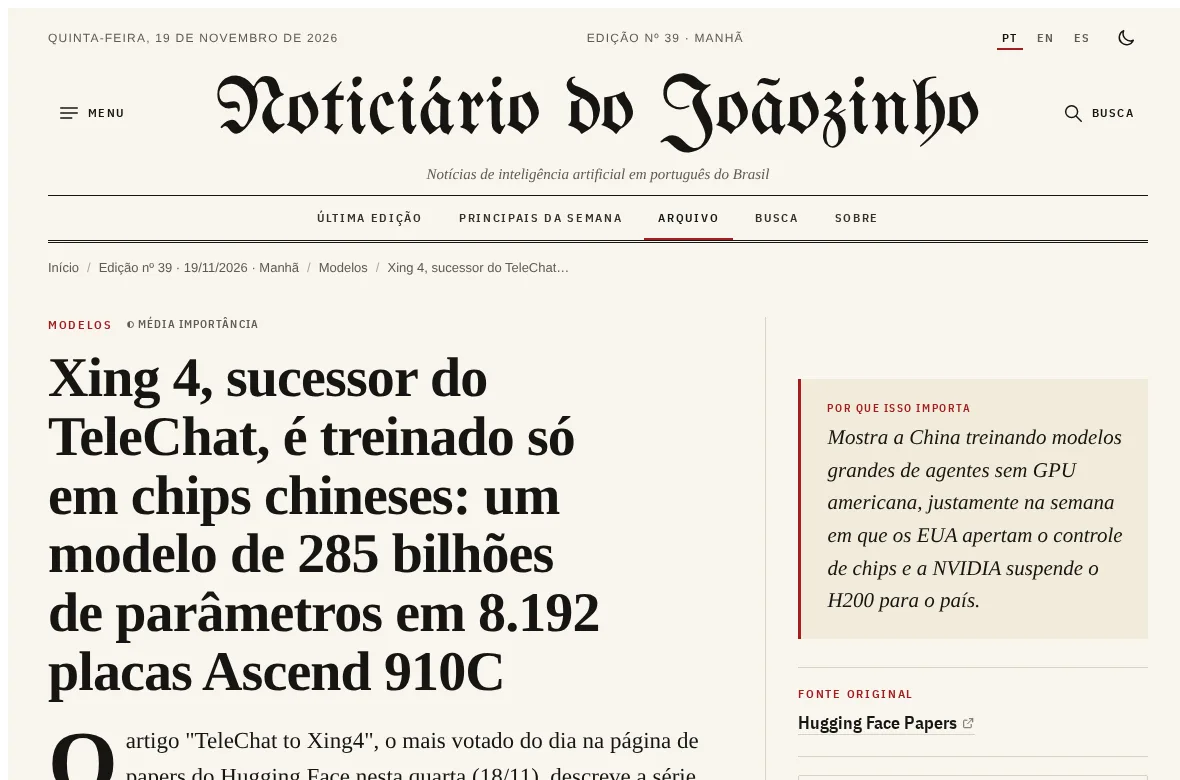
The Joãozinho app is in the Launchpad, in Spotlight and in the store. It opens the paper's site in a RoqueOS window, in the system language (Portuguese, English or Spanish; in the other languages, English). Everything the site does works there: the menu with the last days, search, the archive, the spoken edition, and switching language and theme.
When the widget opens a story and the Joãozinho window is already open, that window goes to the story instead of opening another.
Where the news comes from
The widget reads the paper's public RSS (https://joaozinho.news/rss.xml, /en/rss.xml and /es/rss.xml), the same one any feed reader uses. Nothing is copied into RoqueOS and there is no account or key: the card shows exactly what the site published. Only links on joaozinho.news itself become clickable stories.
The paper also has an Atom feed (/feed.xml) for those who prefer a feed reader.
When nothing shows up
- "Couldn't fetch the edition right now.": the device is offline or the site did not answer. Tap Retry.
- On a phone the widget sits in the home screen grid, in the medium, large and extra large sizes.